Built for Practical Icon Work
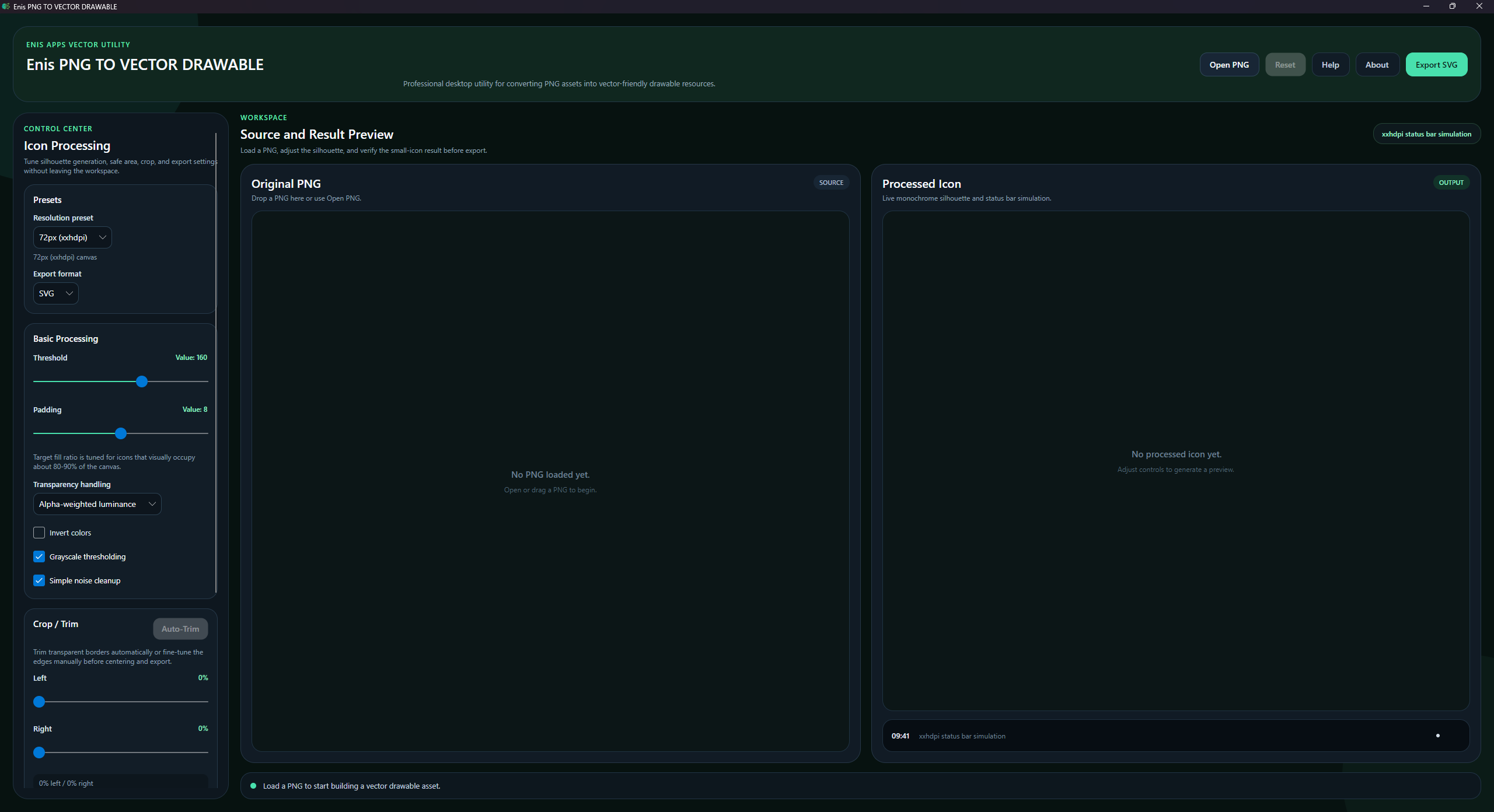
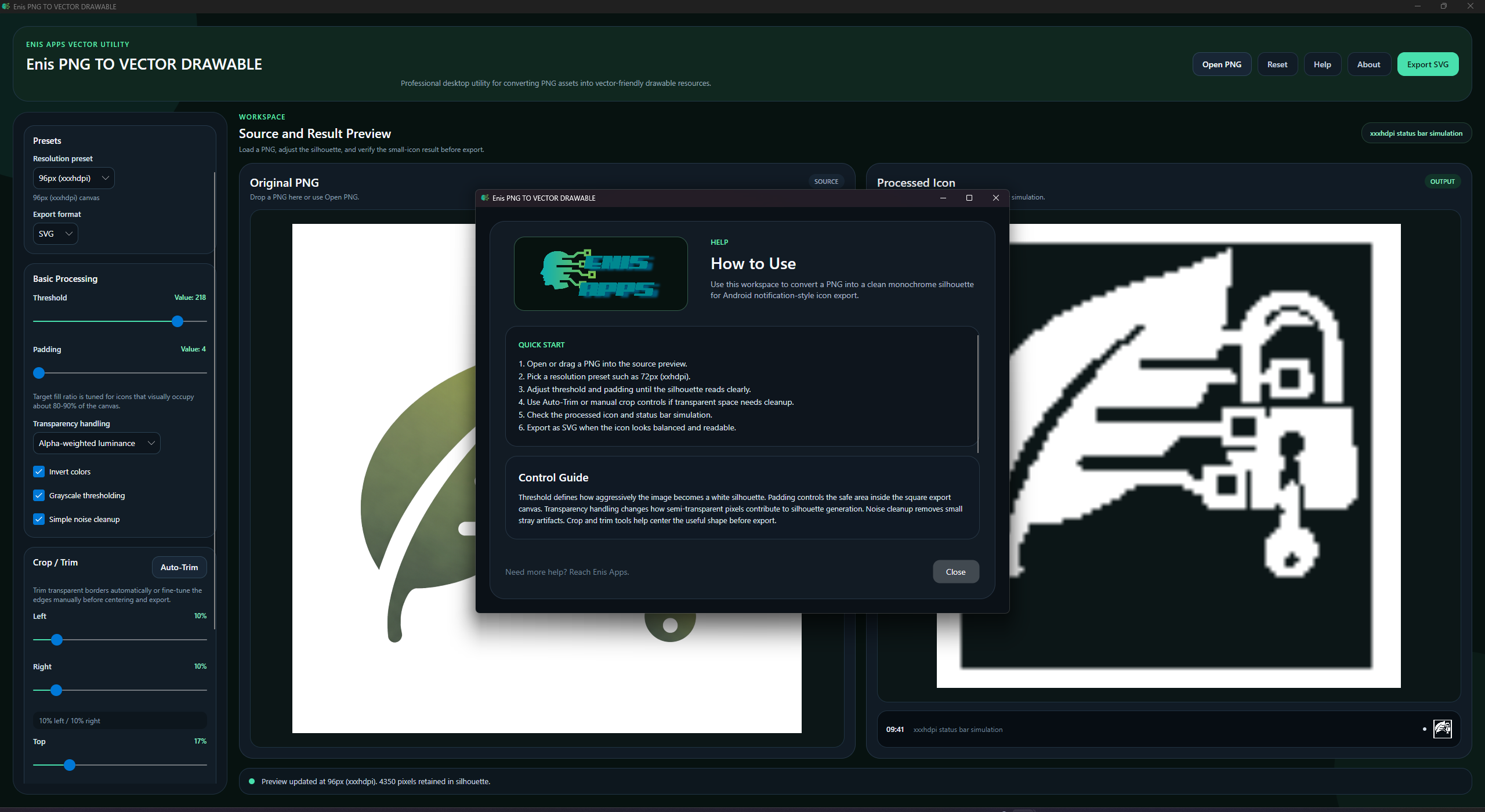
The app is designed for practical Android notification-style icon preparation, with a workflow
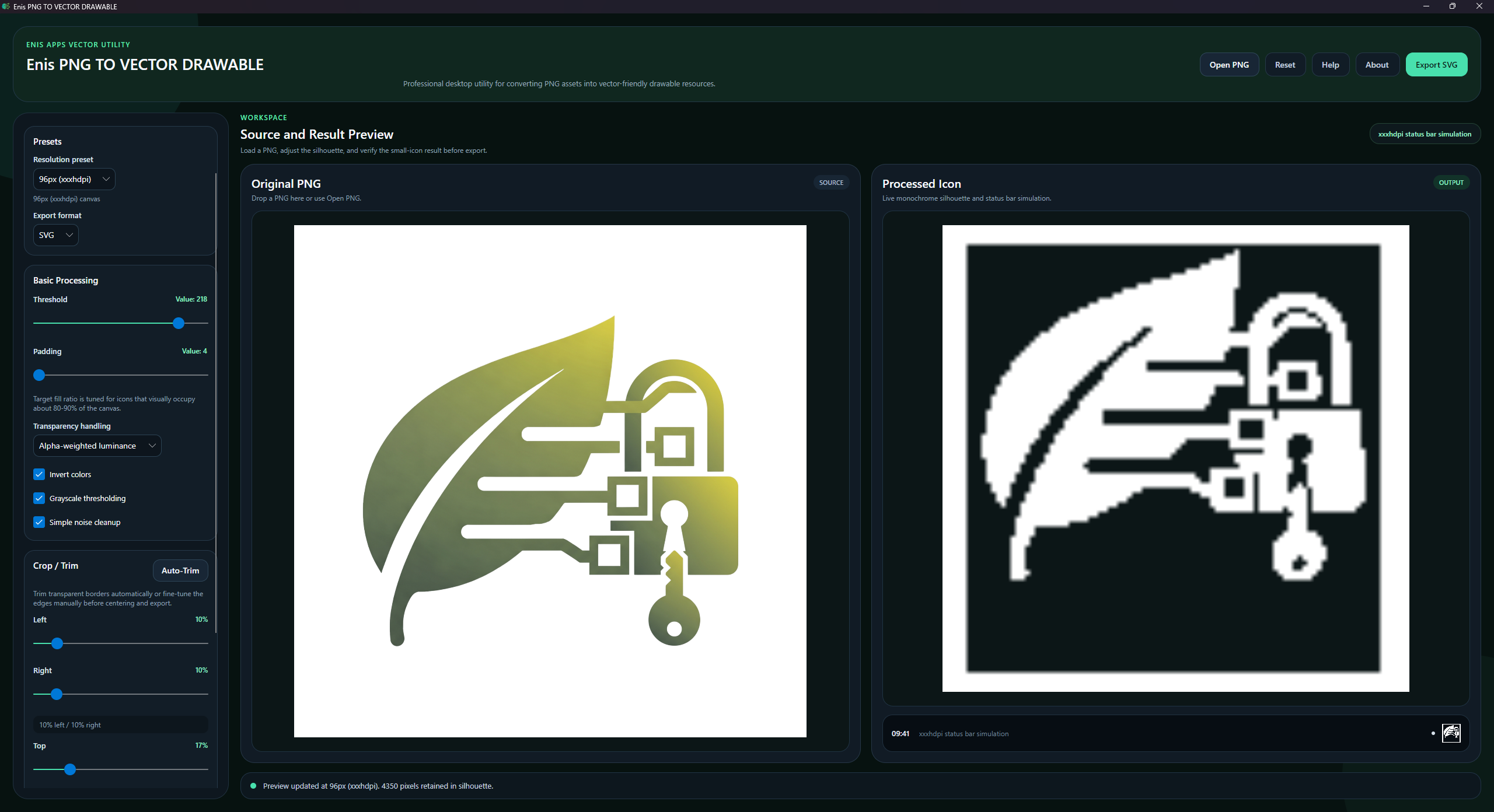
focused on clarity, speed, and control. Load a PNG, preview the original and processed result
side by side, fine-tune the silhouette, adjust threshold and padding, trim transparent space,
and export a lightweight SVG suitable for downstream use.
It is built to help streamline repetitive icon preparation tasks while keeping the workflow
simple, visual, and efficient.
Key Features
- Load PNG files from disk or drag and drop them into the workspace
- Real-time side-by-side preview of the source image and processed icon
- Threshold, padding, crop, trim, invert, grayscale, and noise cleanup controls
- Resolution presets for Android-style export workflows
- Status bar simulation preview for small-icon readability checks
- Lightweight SVG export with a square canvas and preserved proportions
- Clean desktop interface optimized for fast production use
Workflow Overview
Input & Preview
PNG loading, drag and drop, and side-by-side source/result preview
Controls
Threshold, padding, crop, trim, invert, grayscale, and noise cleanup tools
Validation
Status bar simulation for small-icon readability checks
Export
Lightweight SVG export with square canvas and preserved proportions
Technical Notes
Platform
Desktop workflow designed for practical Windows production use
Target Use
Android-style small icon and notification asset preparation
Output Logic
Square canvas export with preserved proportions and lightweight SVG output
Working Style
Local, visual, and repeatable icon preparation with direct control